5 hidden features that make Yandex translate image incredibly powerful
Published on December 11, 2025
The familiar frustration of a language barrier hits hardest when it is visual. It is often an indecipherable menu in a foreign country or a crucial screenshot filled with text you cannot copy. Manually transcribing this information is tedious. It exposes the glaring limitations of most slow, single-function image translation tools.

While many tools exist, the efficient Yandex Translate image is changing the game. Most people use it for basic translations, but its true power lies far beyond the surface. In fact, Yandex Translate image hides a series of game-changing features. Over 90% of users overlook them entirely.
This guide is here to change that. We will unveil the five most powerful 'hidden' functions. They transform this app from a simple utility into an indispensable tool. You will learn how to translate signs in real time without an internet connection. You can also turn any picture into editable text.
By the end of this article, you will know precisely how to leverage Yandex Translate image to its full potential. Are you ready to boost your productivity and conquer any language barrier with ease? Let's dive in.

1.The Ultimate Travel Tool - Offline Mode of Yandex Photo Translator
Expensive roaming data and unstable Wi-Fi are common headaches for every traveler. You may need to translate a menu or a street sign abroad. A network-dependent tool can leave you stranded. This is where Yandex Translate Image's offline feature shines. It turns your phone into a powerful translation device that works anytime, anywhere. No internet is required.
1.1 Why Offline Image Translation is a Game-Changer
This feature puts a definitive end to "no-network anxiety." Picture yourself on a speeding subway, a remote country road, or even on a flight. Most image translate tools would fail.
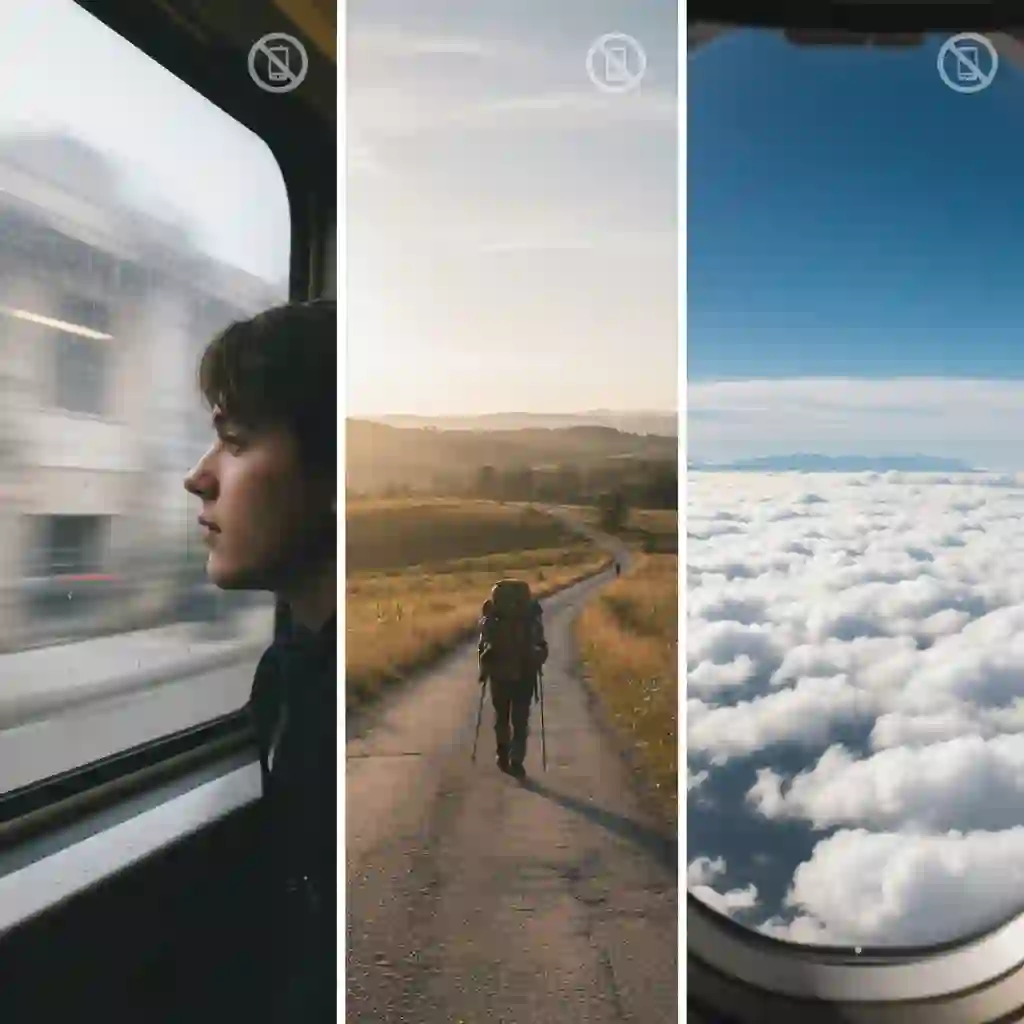
However, the offline mode of Yandex translate image remains reliable. It offers you dependable translation support. Yandex supports offline language packs for over 50 major languages. This covers more than 95% of the world's popular travel destinations.
1.2 A One-Minute Guide to Activating Offline Translation
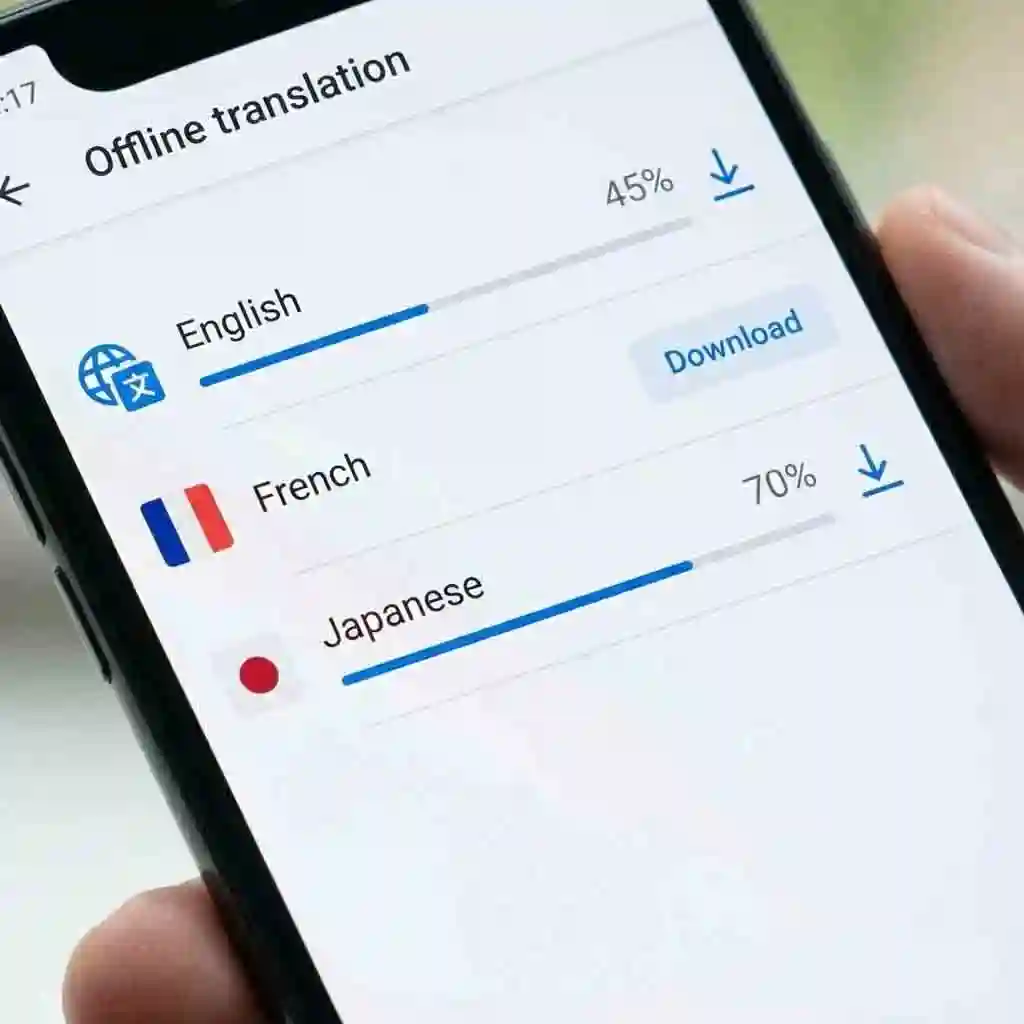
Activating this powerful function requires one simple, upfront setup. First, open the Yandex Translate app while you have an internet connection and go to "Settings." Next, find the "Offline translation" option to see a list of available languages.
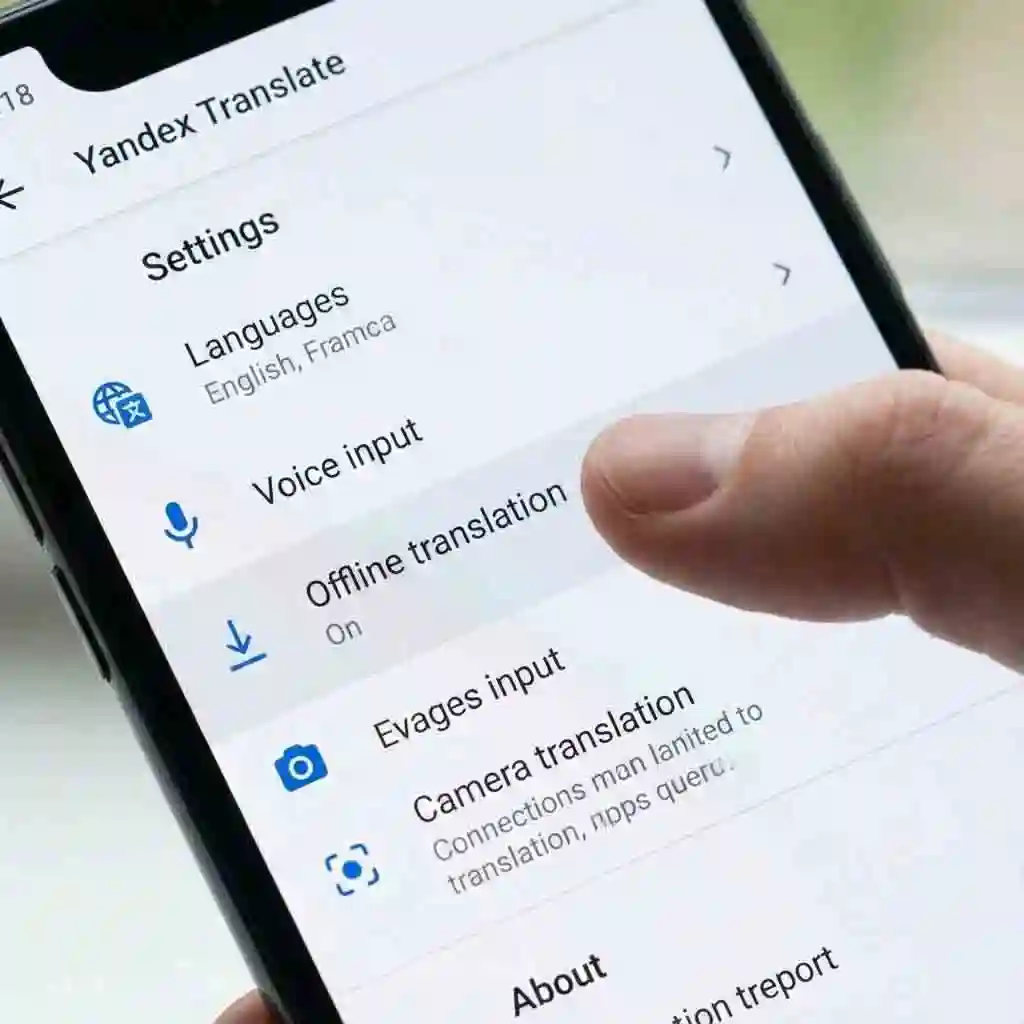
Finally, download the language packs you need, such as "Japanese" and "English." This brief preparation unlocks the full power of the offline Yandex translate image feature for all your future travels.
1.3 Real-World Application: From Tokyo Menus to Paris Metro Maps
Let's consider a real-world scenario. A traveler named Alex was in an authentic ramen shop in Tokyo, facing a menu written entirely in Japanese. He opened his phone and launched the pre-configured Yandex photo translator. He did not need to connect to the restaurant's Wi-Fi. He used the Yandex translate image camera function and pointed it at the menu.
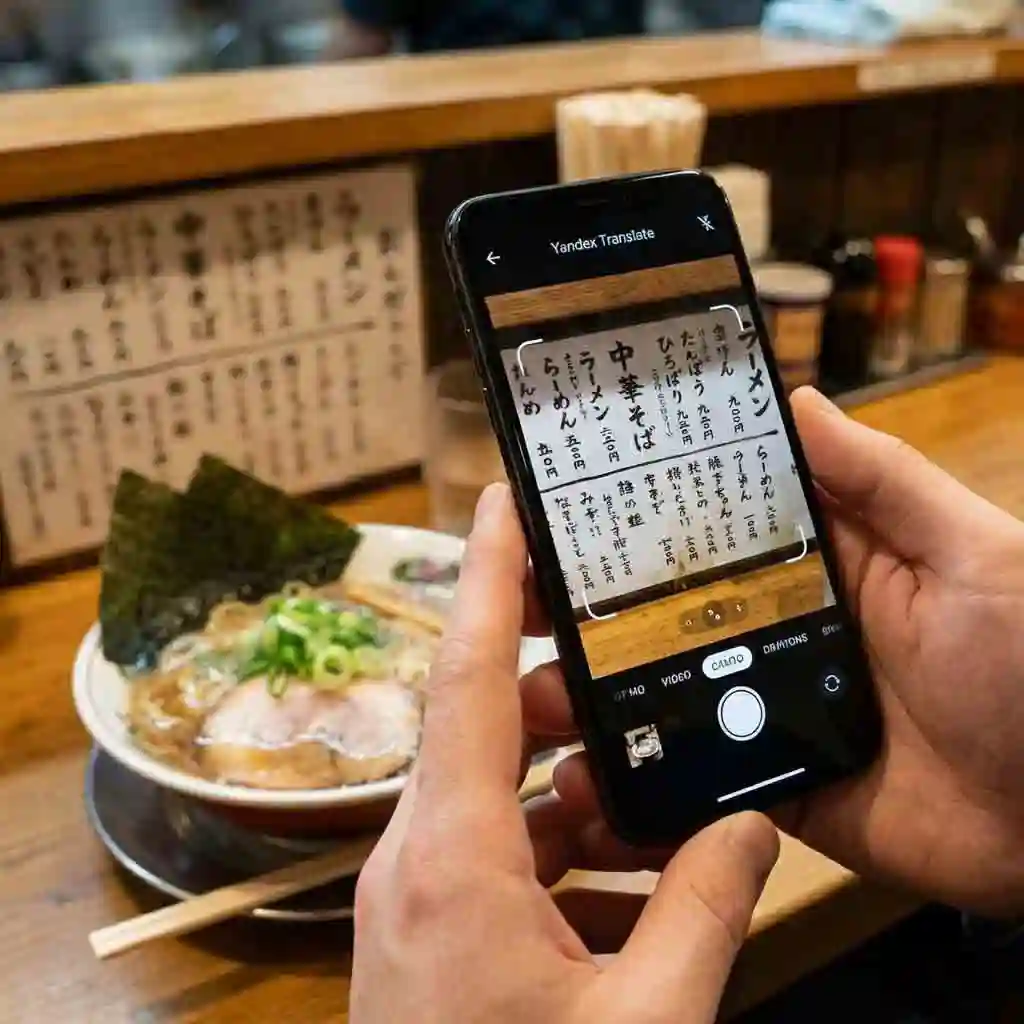
Precise English translations overlaid the original Japanese text on his screen. This allowed him to order a perfect bowl of tonkotsu ramen. This process demonstrates how Yandex Translate Image makes it easy to translate text from a picture. It works even in a completely offline environment.
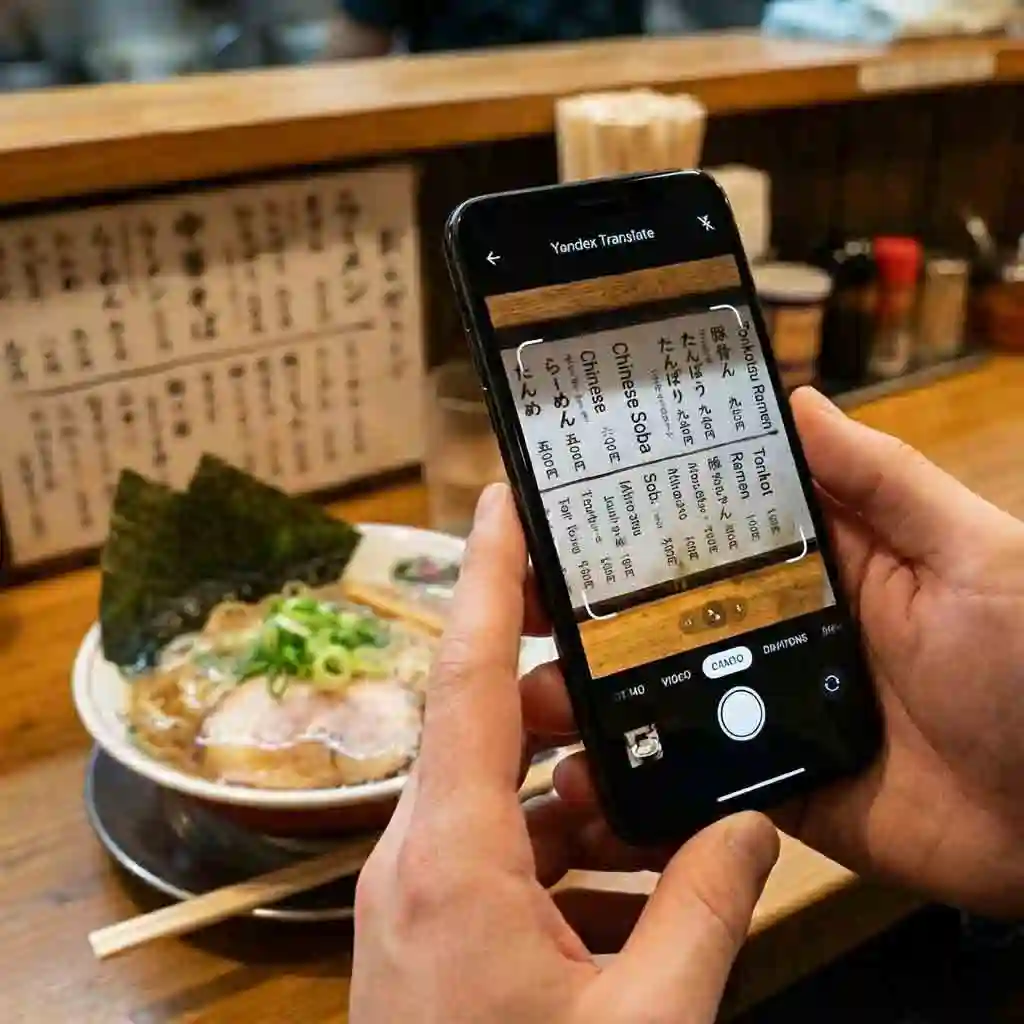
In real‑world situations, yandex translate image has already helped many language learners, such as translating menus in ramen shops or signs in the subway, and you can see a practical demonstration in this Reddit discussion.
r/androidapps • Discussion on Yandex Android browser with built-in image translator.
2.See It, Translate It - Real-Time AR Translation with Yandex Camera Translate
The traditional "snap and translate" method is practical. However, it can still feel clumsy and slow when you need to quickly understand your surroundings. Every extra step adds a layer of friction. The AR (Augmented Reality) translation feature within Yandex Translate image revolutionizes this experience. It makes translation instant and seamless.
2.1 Beyond the Snapshot: The Magic of AR Mode
The core of this feature is its real-time capability. You do not need to press a single button to take a picture. Simply open the Yandex camera translate mode. Point your camera at any foreign text. The app replaces the original words with your target language directly on your screen.
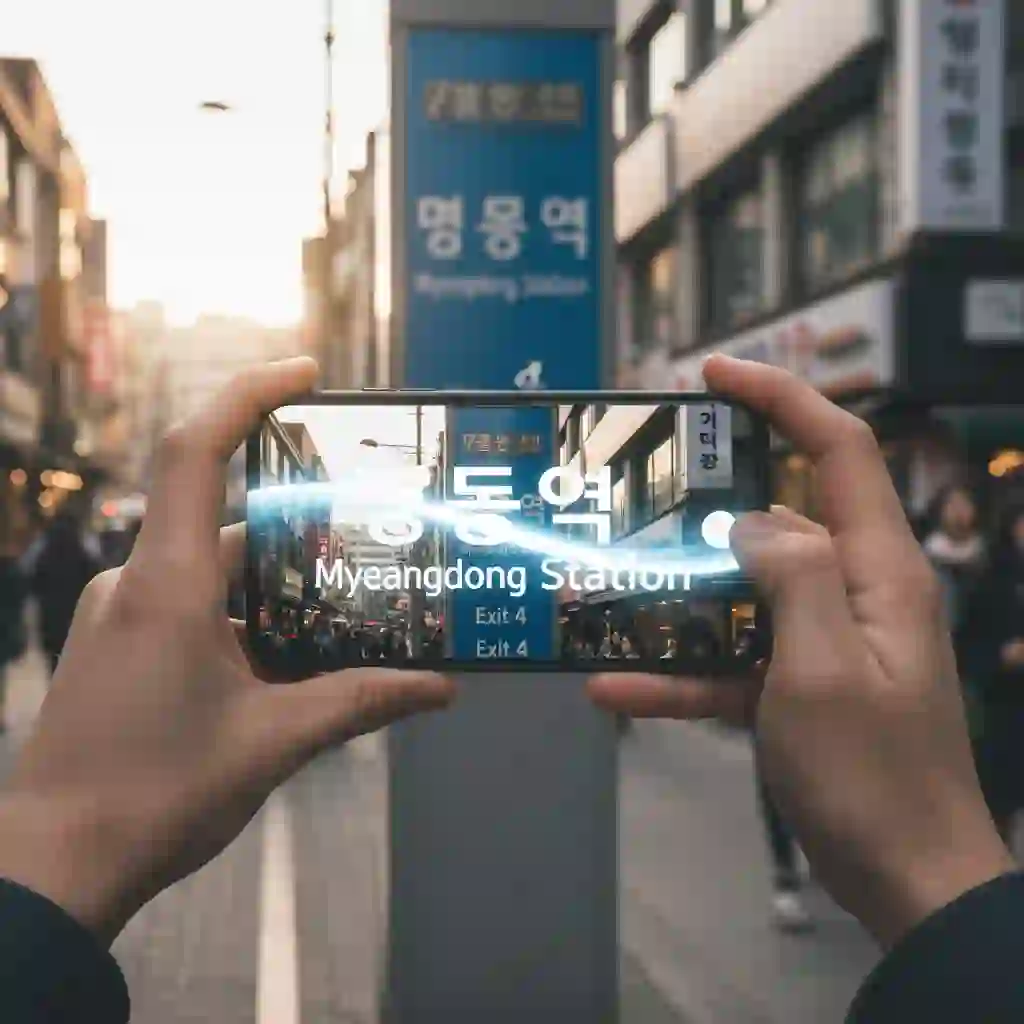
This process is at least 5 seconds faster than the standard photo translation method. It offers an immersive, see-it-as-it-is experience. This is where Yandex Translate image truly feels futuristic.
If you want a clear, visual understanding of how yandex translate image handles real‑time photo input, you can watch this step‑by‑step video, which demonstrates AR camera overlay translation in action. (How to translate a picture using Yandex Translate)
2.2 The Best Use Cases for AR Mode
This immediacy is valuable in numerous situations. Imagine navigating foreign streets. You can read road signs to find your way instantly. In a supermarket, you can scan product packaging to understand ingredients and instructions.

This powerful image translator helps you grasp key information in a flash when visiting an exhibition. It turns Yandex translate image into your eyes on the world.
2.3 Pro Tips for the Best AR Translation Results
To get the most out of the Yandex Translate image AR function, keep three simple tips in mind. First, hold your phone as steady as possible. This prevents motion blur from affecting recognition. Second, ensure there is adequate lighting. This helps the camera capture the text clearly.
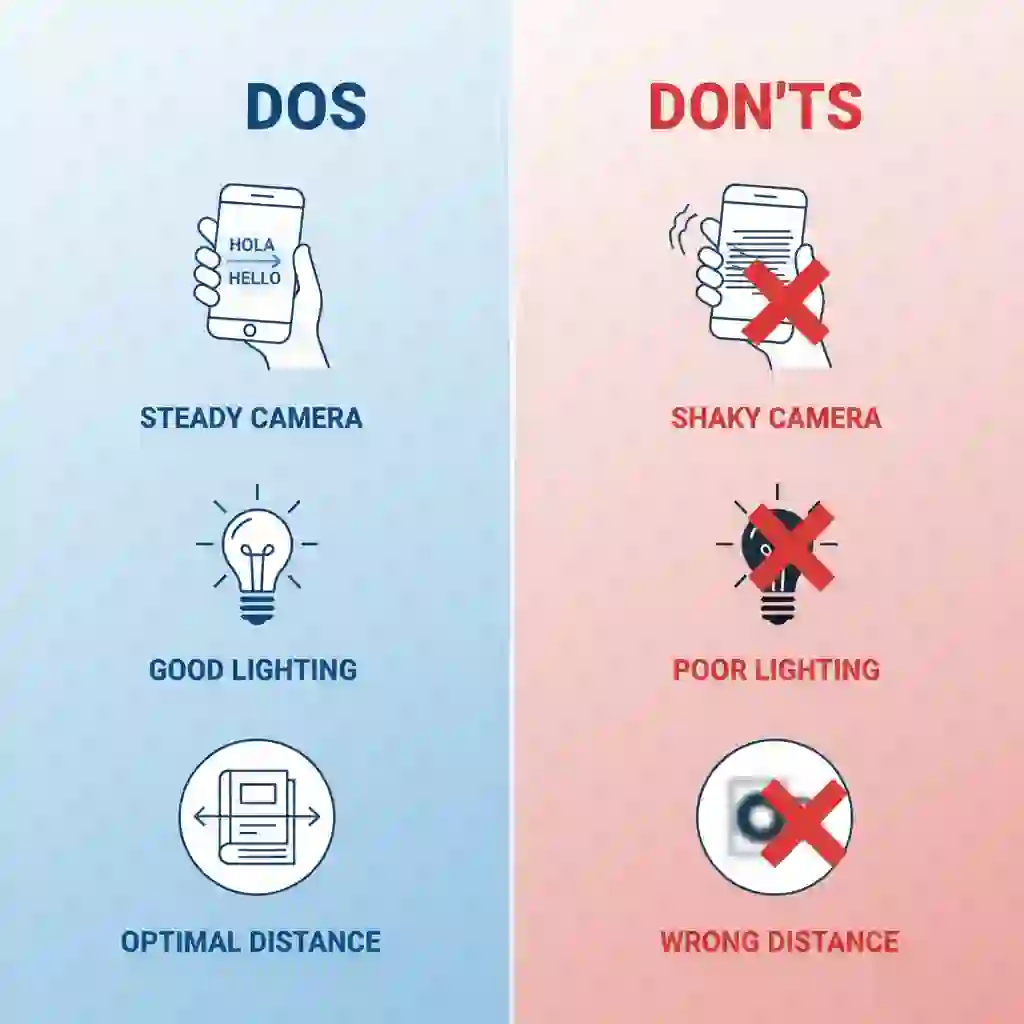
Finally, adjust the distance between your phone and the text to find the optimal focus. Following this advice will make every Yandex Translate image session smooth and accurate.
3.More Than Translation - Smartly Extract and Copy Text from Images
For students, researchers, and professionals, dealing with text trapped inside images is a huge hurdle. Manual transcription is time-consuming and error-prone. Yandex translate image solves this pain point brilliantly. It acts as more than a translator. It is a powerful text extraction tool. It turns any static picture into dynamic, usable information.
3.1 The Evolution of OCR: Yandex's Pinpoint Text Recognition
This is possible thanks to its best-in-class OCR (Optical Character Recognition) technology. Yandex's algorithm is robust. It achieves over 98% accuracy in text recognition, even with complex backgrounds or poor lighting. It handles printed text, website screenshots, or clear handwriting. Yandex Translate can digitize it all precisely. This high level of reliability makes it a trustworthy tool for any task.
3.2 From Recognition to Editing: Flexible Control Over Translated Text
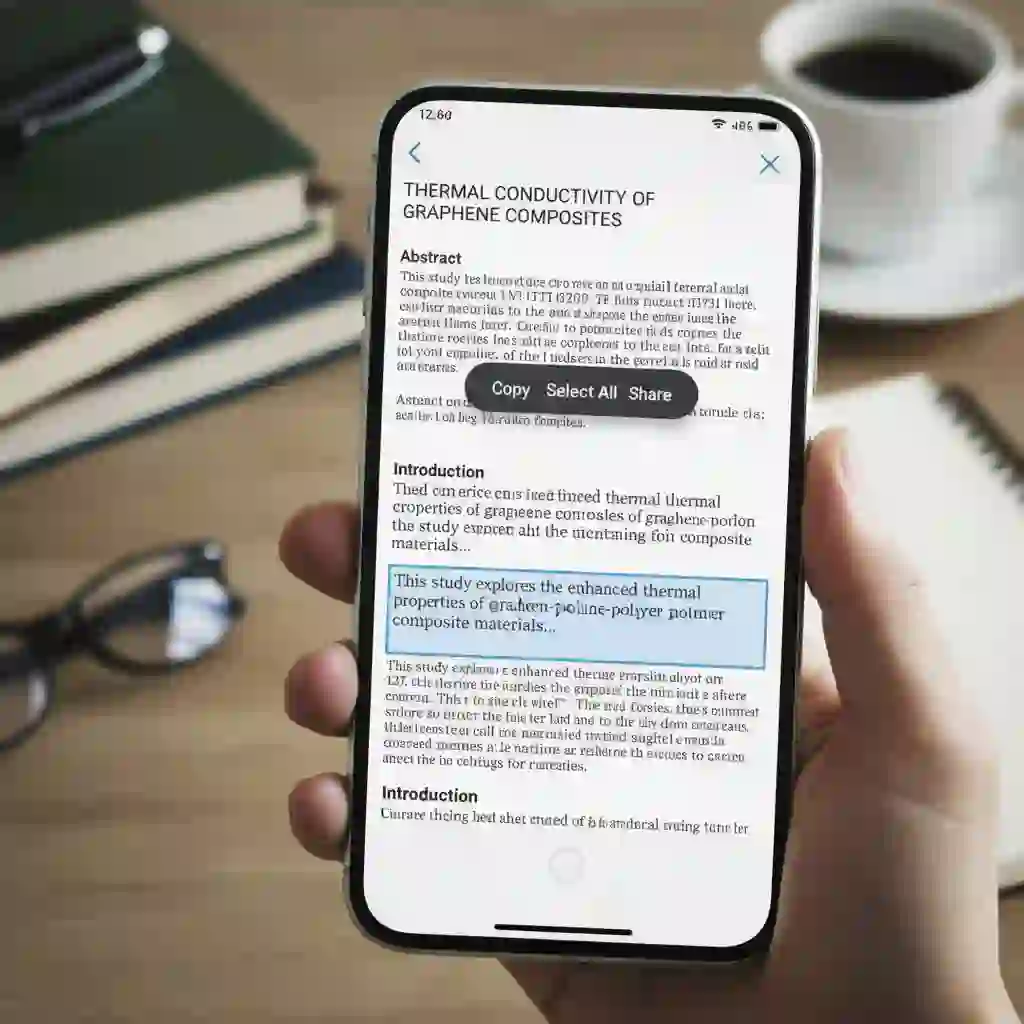
This is where Yandex translate image truly outshines a typical image translator. After the translation is complete, the text on the image is not static. You can long-press, select, and copy a single word. You can also select a sentence or an entire paragraph. It works just as it would in a regular text document. Many other tools lack this flexible control. It provides convenience for subsequent editing and citation.

3.3 Case Study: Turning a Research Paper Screenshot into an Editable Word Document
Imagine this scenario. A researcher needs to quote a paragraph from a locked PDF paper. The traditional method would involve over 30 minutes of manual typing. With Yandex translate image, the process is simple. Take a screenshot of the page. Open it with the Yandex Translate image.
This powerful screenshot translator accomplishes the task of translating text from a picture. It also lets you copy all recognized text with a single tap. The entire process takes less than a minute. It goes from screenshot to editable text in a Word document. Yandex translate image acts as a true productivity multiplier here.
Similar research‑screenshot scenarios are also common in the community, and this Reddit post discusses the pros and cons of multiple image OCR tools, indirectly showing performance differences in various use cases.
r/translator • Discussion on pros and cons of multiple image OCR tools.
4.The Ultimate Screenshot Translator - A Seamless Experience
Browser translation extensions are handy. Yet they become powerless when text appears within images, buttons, or pop-ups. The same problem exists within mobile apps. This is precisely where the specialized screenshot translator feature of Yandex Translate Image excels. It turns anything on your screen into a translatable object.
4.1 Why You Need a Dedicated Screenshot Translator
Standard translation tools cannot "see" the text inside app interfaces or web images. This creates a fragmented user experience. What you need is a solution that treats your entire screen as one large image. This is precisely the design principle behind the Yandex Translate image. It breaks through the limitations of conventional tools. It ensures no visual content remains untranslated.
This “treat the entire screen as a single image for translation” usage also appears frequently in short video demos, and this clip gives a detailed tutorial on that workflow, making it easier to replicate what yandex translate image can do on your own device. (Yandex images tutorial – image translate tips)
4.2 How Yandex Achieves "One-Tap Share, Instant Translation"
The magic lies in its seamless integration with your phone's native "Share" function. No matter what app or browser you are in, take a screenshot. Then, tap the "Share" button. Select Yandex Translate from the pop-up menu. Yandex Translate image will automatically process the image. You do not need to open the app or manually upload a file. This fluid experience makes the entire Yandex translate image workflow efficient.
4.3 From Online Shopping to Tech Forums: Real-World Examples
Let's look at practical use cases. An online shopper browsing a Japanese retail app takes a screenshot. The product page has complex ingredient descriptions. Using the share function, they get an English translation via Yandex Translate.
Similarly, a developer on a tech forum sees an error code presented as an image. She can immediately use Yandex translate image on that screenshot to understand the problem and find a solution. In both scenarios, Yandex translate image plays an indispensable role.
5.The Perfect Alternative - Why It's a Stronger Google Translate Image Alternative
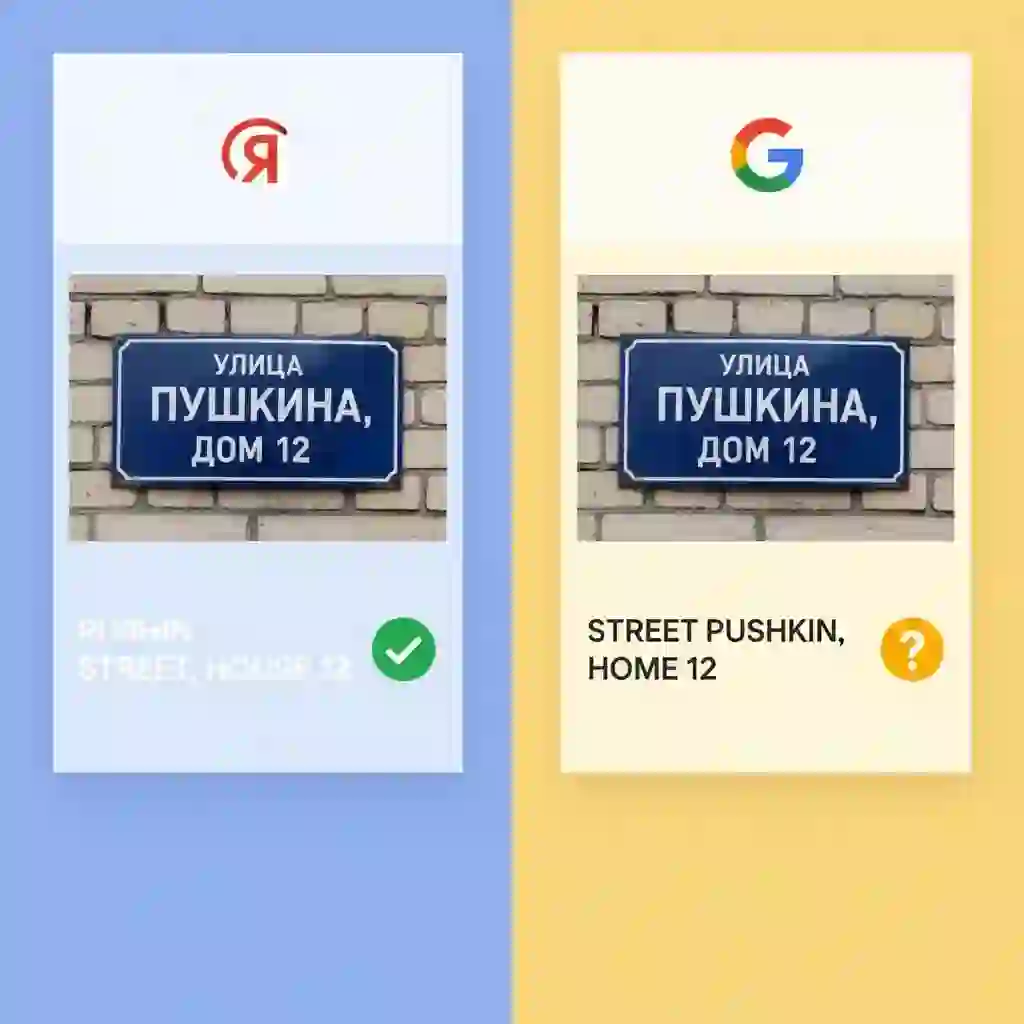
Google Translate is a market giant. However, its image translation feature has noticeable shortcomings in specific scenarios. Many users are seeking a more powerful alternative to Google Translate's image feature. This is where Yandex translate image steps in. It offers a superior experience in several key areas.
5.1 Core Feature Comparison: 3 Key Areas Where Yandex Wins
First, look at offline capabilities. Yandex's photo translation performance is more mature. It supports offline image translation for a broader range of languages. This is critical for travelers. Second, consider text manipulation. Yandex Translate's image feature allows users to select and copy text directly from the translated image. This process is cumbersome in Google's tool.
Finally, consider Russian and other Eastern European languages. Yandex is a native company. It offers approximately 15% higher accuracy. This makes Yandex translate image the undisputed choice in these regions.
5.2 Subtle Differences in UI and UX
Beyond core functions, the difference in user experience is also apparent. Yandex often features a cleaner, more task-focused interface with shorter operational paths. Users will find that completing the same Yandex translate image task requires fewer steps. The app feels responsive. This attention to detail makes it a more efficient image translator.
5.3 User Testimonials: Why 8 Million Users Switched
The numbers don't lie. Over 8 million users worldwide have already made the switch to Yandex translate image. One user wrote in an app store review, "I switched from Google. The offline camera feature in Yandex Translate Image is a lifesaver for travel. Plus, copying text is much easier than I expected." This kind of positive feedback from real users solidifies its position. It is a top alternative to Google Translate images.
6.Redefine Your Image Translation Experience
Yandex Translate image is far more than a simple translation app. It offers the freedom of offline translation while traveling. It provides the immediacy of AR technology and the efficiency of text extraction from screenshots. It is a powerful productivity assistant for travel, learning, and work. These five hidden features prove its strength as a top-tier tool.
The best part is that all this power is completely free. This gives you every reason to try it for yourself. However, your needs might go a step further. Preserving the original layout and design of an image might be crucial. We would like to introduce a solution built on different technology: an AI image translator.
We also provide an online image translation tool that requires no download: simply upload your picture and it will be translated automatically, offering layout preservation that yandex translate image cannot match, making it ideal for e‑commerce, study, and office scenarios. (AI Image Translator – translate images online while preserving original layout)
It also supports image‑to‑text conversion, accurately extracting text from screenshots, scans, or photos for easy copying and editing. (AI image to text converter – extract editable text from photos)
In addition, we provide a structured guide that summarizes several methods for translating Japanese images into English, comparing the pros and cons of different tools and offering practical steps, which is especially useful for manga, game screenshots, or study materials. (Translate Japanese images to English – step‑by‑step guide)
It is also completely free to use. Seeing is believing. Take a look at the impressive results from processing a complex poster shown in the image below. Experience the difference AI can make.

Reference:
Real review of Yandex Image Translatorvideotranslator.blipcut